MURETTO BOX — DESKTOP COMPANION APP
Your own muretto, on your desktop.
Il muretto is Italian racing slang for the pit wall. Muretto Box brings that same view to your desktop — setup sync, live telemetry, and deep lap analysis for Le Mans Ultimate.
Windows & macOS · Built for Le Mans Ultimate drivers
HOW IT WORKS
From install to analysis, in one loop.
Four steps, all connected to the TakyRace account you already have.
Connect your account
Download Muretto Box and hit "Pair with browser." It opens your default browser so you can sign in with the same Steam, Google, or email account you use on TakyRace.
Your garage, synced
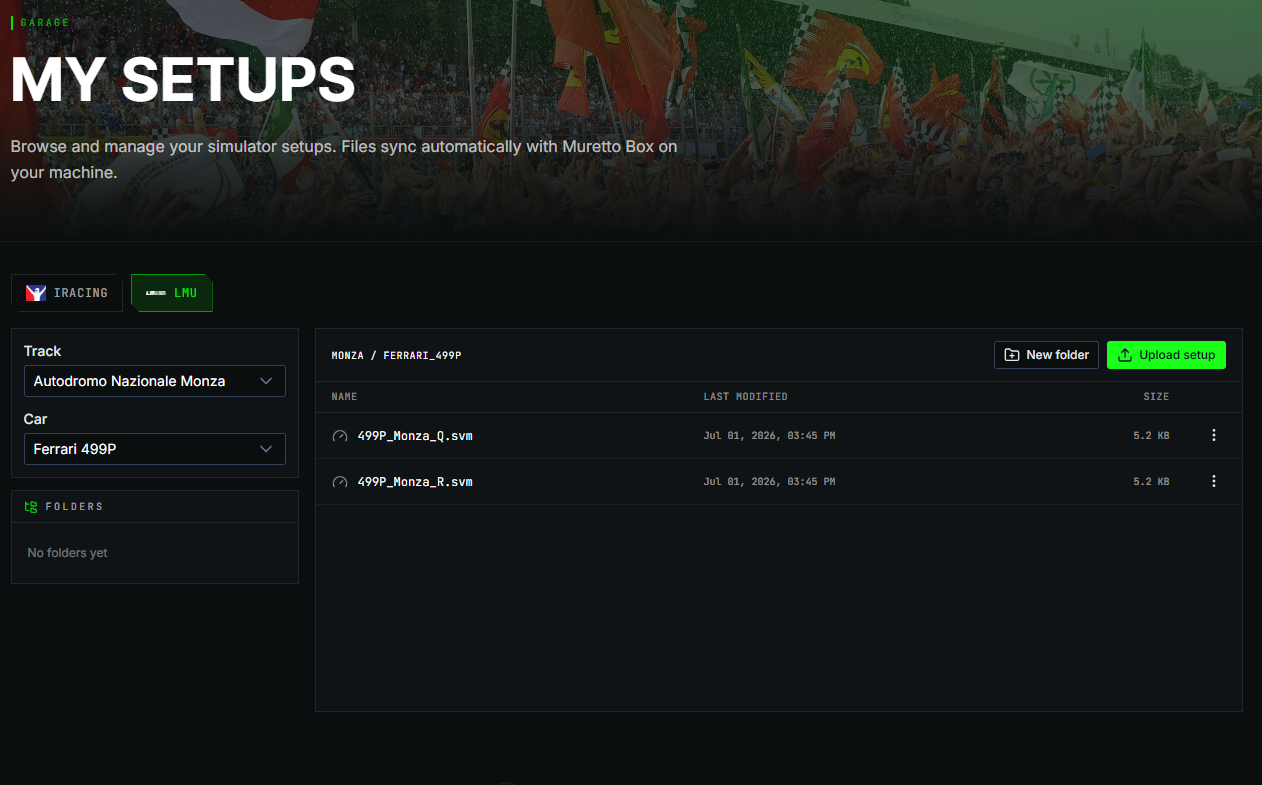
Setup Auto-Sync keeps your cloud garage and your simulator folder in agreement. Save a setup, share it with your team, and it's ready to load next time anyone gets in the car.
Muretto Box rides along
Start a Le Mans Ultimate session and Muretto Box runs quietly in the background — capturing every telemetry channel and streaming a live feed to anyone you allow to watch.
Break it down
After the chequered flag, open Telemetry Studio to stack laps side by side, scrub through corner-by-corner data, and see exactly where the lap time was made or lost.
One garage. Every simulator.
Your setups sync automatically between TakyRace's cloud garage and your simulator install, for both iRacing and Le Mans Ultimate. Save a setup once and it's on every PC you race from. Share it with your team and it appears directly in their sim, ready to load — no more passing .sto files around in Discord.
- Personal and team garages, access checked automatically
- Promote a personal setup to your team with one action
- Works alongside the setups you already manage on your TakyRace team page
Give your crew a window into the car.
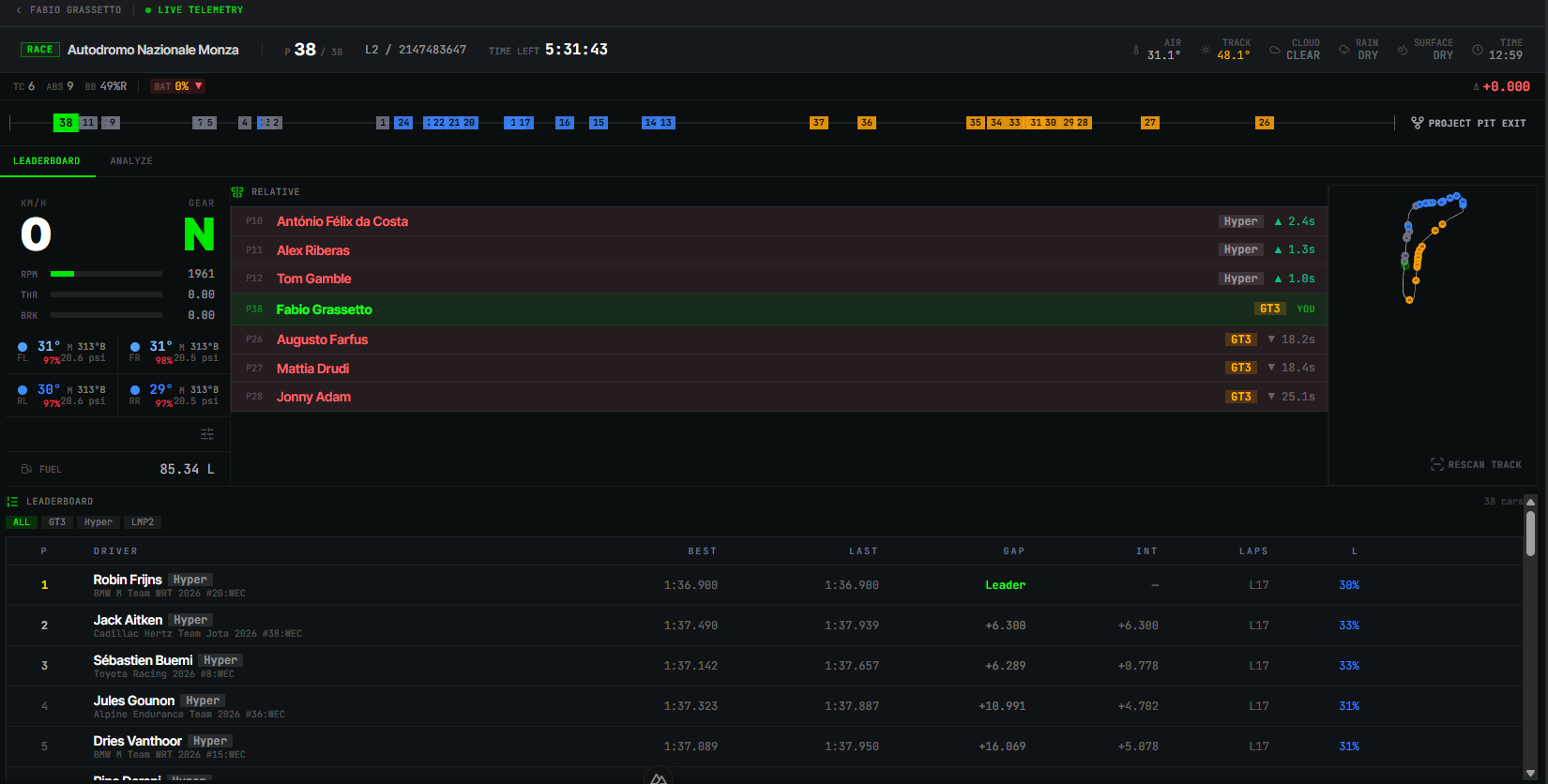
The moment you're on track, Muretto Box streams your telemetry to TakyRace in real time — lap times, fuel load, tyre state, and position — so your team, your followers, or anyone spectating can watch the race unfold from your car's point of view.
- You decide who can watch: private, friends, team, or public
- Live leaderboard and track map for multi-car sessions
- No extra software for viewers — it's just a page on TakyRace
MoTeC-grade analysis, no MoTeC required.
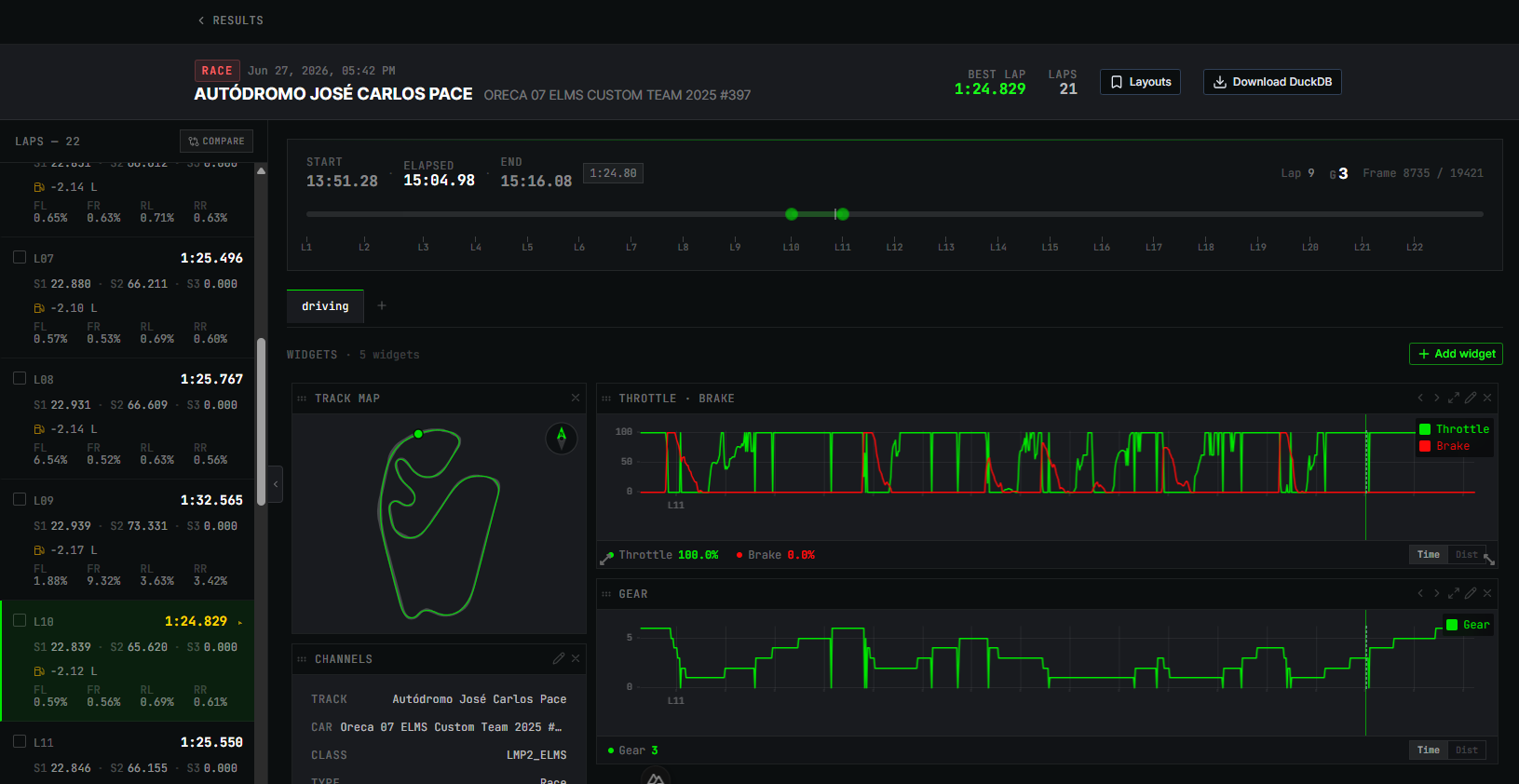
Telemetry Studio is built entirely on widgets — Channels, Time/Distance Graph, Bar Graph, Track Map, Scatter Plot, Suspension Histogram, and XY Line Graph. Arrange them across multiple pages, save the result as a layout, and switch between layouts with the layout manager. Start simple with the numbers you already know, or wire up any of LMU's 56 channels into advanced graphs that show exactly where a driver is losing time — and where the car setup is costing performance.
- Seven widget types, from a basic channel readout to track maps and scatter plots
- Multiple pages per layout, saved and switched through the layout manager
- Build advanced graphs on any channel — dial in the driver's skill or the car's setup
UNDER THE HOOD
The kind of detail a pit wall actually needs.
56 time-series channels and 42 event channels, sampled up to 100 times a second.
Tyres
Carcass, rubber, rim, and centre-strip temperature per corner, plus pressure and wear — four corners, tracked independently, lap after lap.
Brakes
Disc and caliper temperature, cooling air temperature, and pad thickness per corner — see discs climb from ambient to well over 800°C under a hard stop.
Chassis & Aero
Ride height, suspension travel, and lateral, longitudinal and vertical G-forces — the shape of every corner, captured at up to 100 Hz.
Driver Inputs
Throttle, brake, and clutch position, filtered and raw, plus steering angle and force-feedback torque at the wheel.
Electronics
TC and ABS activations, traction and brake maps, launch control, and pit speed limiter — know exactly when the car stepped in.
Timing
Sector splits, personal bests, lap-by-lap fuel and tyre wear, and finish status for every lap you complete.
YOUR DATA, YOUR CALL
Nothing goes public until you say so.
Live telemetry and session history follow the same visibility model as the rest of your TakyRace profile — private by default, and shareable with friends, your team, or the public whenever you choose.
FAQ
Before you download.
Grab your muretto.
Download Muretto Box, sign in with your TakyRace account, and get your setups, telemetry, and live data working for you before your next session.